

Care Portal Maintenance: Document an Inactivity Timeout
2026-11-01
Care Portal Maintenance: Document an Inactivity Timeout
A care service portal that returns to a sign-in screen while someone is completing a form needs a precise maintenance account. The visible interruption, the timeout warning and the state of unfinished work are different observations. None should be inferred from a frustrated summary alone. This article uses a fictional form incident and includes no real person's care details, service request or accessibility test result.
Reconstruct the task without reproducing personal information
Begin by identifying the page function and the point at which the interruption was observed. The maintenance team may need to know that an unfinished request was on screen, but it does not need a copy of the person's sensitive entries merely to describe the timing symptom. Use authorized, appropriately limited evidence and keep unknown details marked unknown.
In the fictional note, the screen changes after a period without interaction. Record whether the observer saw a warning and whether its duration was stated. If the observer cannot recall, the note should not invent a warning or assert that none existed. An actual observation and a later memory of the task should be labelled as different kinds of evidence.
Identify which timing question the record is addressing
W3C's Timing Adjustable explanation describes alternatives for content-set time limits, including turning them off, adjusting them or extending them under specified conditions, together with stated exceptions. The maintenance record can ask which mechanism and conditions the portal intends to use. It should not turn that summary into an assertion that every timeout is prohibited.
The team should keep the intended mechanism separate from what was observed on the affected page. A general help document may explain a warning while the incident note still lacks evidence about that particular task. If an exception is claimed, its basis should be identified by the responsible party rather than assumed from the importance of the service.
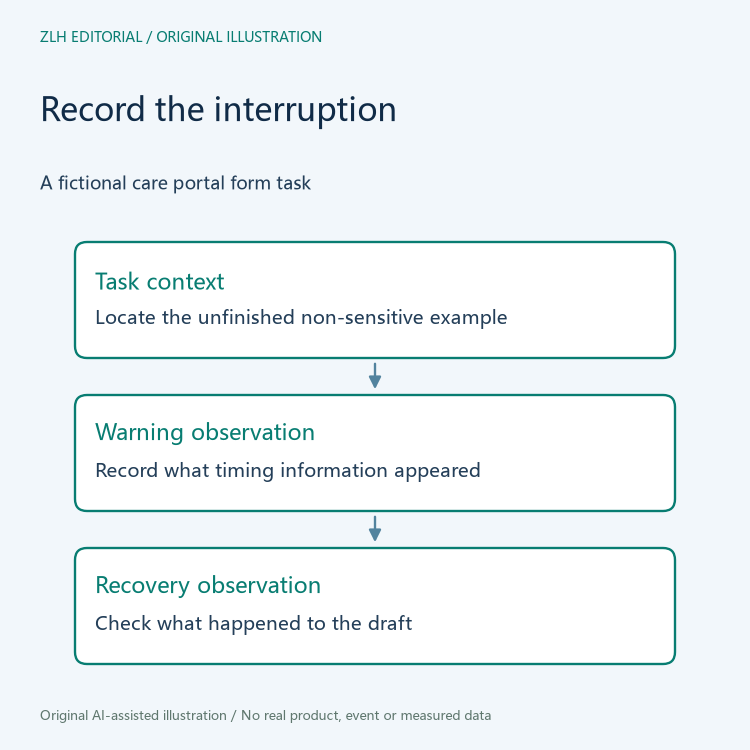
Describe the relationship between inactivity and possible loss
The separate Timeouts explanation concerns warning users about inactivity duration that could cause data loss, with its stated exception where data is preserved for more than twenty hours without action. This is a particular web-content criterion, not a statement that preserving personal information is always the appropriate response to an interruption.
For the hypothetical portal, ask what happened to the unfinished work after the screen changed. It might be visible again, unavailable or not yet checked. Each is a different observation. Do not call the work recovered merely because the user can sign in again, and do not call it deleted solely because it is absent from the first page shown after sign-in.
Any investigation involving retained information should follow the service's existing privacy and access arrangements. This article does not recommend extending retention, changing authentication settings or collecting personal details. Its purpose is to make the maintenance account clear enough for the authorized team to decide what should be checked next.
Keep the recovery attempt and its result together
If an authorized demonstration is later arranged, identify the non-sensitive test task, the warning observed and what happened to the unfinished content. Retain the actual result rather than substituting the intended design behaviour. A documented warning and a successful recovery can answer different parts of the investigation; neither should automatically close the other.
In the fictional case, the team might learn how to resume a draft while still lacking evidence about the warning shown before the interruption. The closing note should preserve that remaining question. Conversely, a clear warning does not establish that a particular draft was saved. Separating these findings helps a later maintainer continue from the evidence instead of repeating an ambiguous claim that the session was fixed.
The follow-up should also explain who is responsible for each unresolved question. The interface maintainer can investigate the warning, while the authorized service team may need to explain the draft recovery route. An editor should not invent either answer to create a single neat conclusion. A handover that names the pending responsibility is easier to continue than one that says only that the form was refreshed.

State the observed improvement without expanding the claim
A maintenance conclusion should identify the page and task examined, the timing information actually observed and the recovery state that was checked. It should list unanswered questions about unfinished work or warnings. No timeout experiment has been performed here, and the fictional scenario cannot demonstrate that a service complies with all accessibility requirements.
The original illustrations show a documentation process, not a real user or portal screen. Further reading is available in the care service web documentation section and the article index. A specific account of the interruption and recovery is useful to maintenance staff while remaining distinct from claims about a robot's usability, care outcomes or a person's experience.


