

Care Portal Practice: Map Headings and Page Regions
2026-11-03
Care Portal Practice: Map Headings and Page Regions
A care-robot portal can contain service information, navigation, a contact panel and several help sections on one screen. A reader needs to distinguish those parts without guessing from font size alone. Mapping the page structure is a useful preliminary review: record the headings and page regions actually represented by the document, then compare them with the information a visitor is trying to find. This method does not claim to evaluate a real care service or older users' performance.
Choose an information task and preserve the page state
Select a task such as finding service limitations or locating the contact explanation. Use an approved preview and record the page address, version and displayed state. A collapsed help panel and its expanded version may expose different content, so identify which state the structural map describes.
Read the visible content before inspecting markup. Write a short outline of the information relationships as they appear to the reviewer. This is a proposed reading map, not yet a statement about semantic headings. Keeping the two separate helps identify where visual emphasis communicates a structure that the underlying document does not express clearly.
Collect actual headings with their levels and text
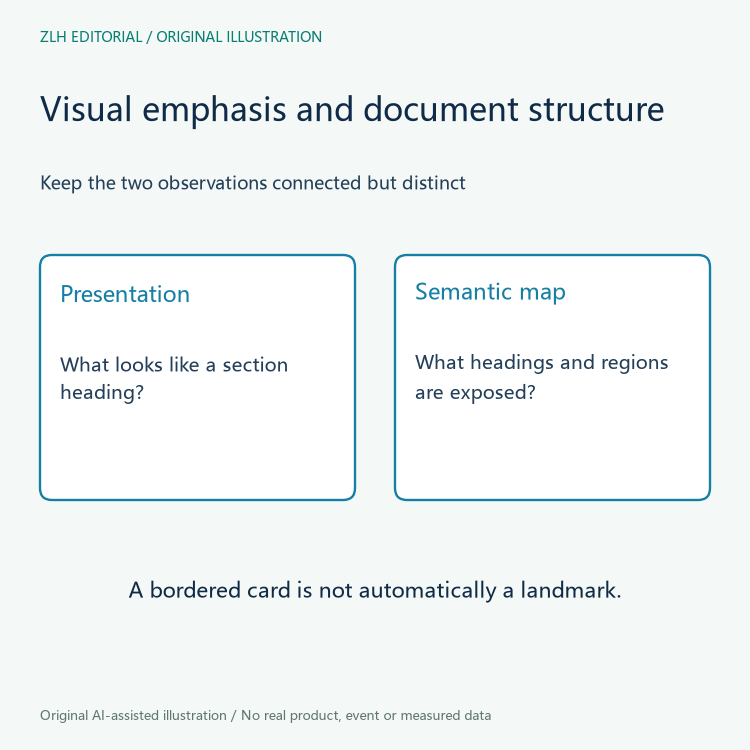
The W3C WAI headings tutorial explains using headings to organize content and reflecting relationships through logical nesting. Inspect the document's actual heading elements and record their text and levels. A large bold paragraph can look like a heading without being represented as one, while a semantic heading may be styled modestly.
Review the sequence in relation to the task. Can a reader following the headings locate the service limitations section without encountering misleading labels? A heading should identify the section it introduces. Avoid reducing the review to a count or assuming that adding more headings necessarily improves navigation.

Map page regions without turning every box into a landmark
The W3C WAI page-regions tutorial describes structural regions such as navigation and main content, including their relationship to landmarks. Identify which regions the page actually exposes and how they contain the relevant sections. A decorative card border does not establish a semantic region.
If several regions of the same kind appear, record their names or identifying context and ask whether a visitor can distinguish them. The review should help readers move between meaningful areas, not create a landmark for every small item. Keep the region map connected to the headings and the information task selected at the start.
Record mismatches as specific content relationships
A useful finding names the visible section, its current markup and the relationship that is hard to understand. For example, the reviewer may need the owner to explain whether a help subsection belongs under a service overview or another topic. This is an illustrative question rather than a defect observed on a real site.
Ask the content owner and developer to agree on the intended relationship before changing heading levels. Replacing element names solely to obtain a preferred visual size can obscure the structure again. Styling decisions and semantic structure should express the same information relationship while remaining separately adjustable in the implementation.
Dynamic content also needs an identified observation state. If a panel is inserted after an action, map the resulting document rather than assuming it matches the initial page. Preserve the action and page state in the note so another reviewer can locate the same headings and regions.
Recheck the structural map after a revision
After an agreed change, repeat the information task and inspect the revised headings and regions. Retain the earlier map, the revision identity and the actual observations. A clearer structure is a useful result, but this limited exercise does not establish the accessibility of every portal interaction or the usability of a physical care robot.
Additional evaluation with appropriate users and assistive technologies may reveal questions the structural inventory does not address. Keep those questions in the broader review plan instead of enlarging this sheet into a certificate. The practical deliverable is a page-specific map another reviewer can reproduce and discuss.
Repeated generic headings can also deserve a content question even when their markup is present. If several sections are called More Information, ask whether the heading text distinguishes service coverage, account help and contact arrangements in this context. Do not invent new service claims while proposing clearer labels. The owner should confirm which subject each section actually covers and retain that meaning when the heading is revised.
The original diagrams describe reading relationships without a real care interface or personal information. Continue with the eldercare robot portal collection and article directory for related topics. A heading and region inventory makes the page's organization explicit, allowing a team to discuss whether the structure supports the information people actually need.


