

Care Device Humidity Displays: Target and Current Values
2026-11-05
Care Device Humidity Displays: Target and Current Values
Humidity Displays in a care-device portal need explicit field labels. A target humidity describes what a humidifier or dehumidifier aims to reach; current humidity describes a reported measurement. Both can appear on the same dial, and either can be visually prominent. This article reads Home Assistant's contributor documentation to clarify a device-information caption. It changes no setting, reads no household sensor and makes no recommendation about humidity for an individual.
Identify the device record before interpreting its dial
A portal screenshot can be useful supporting material, but the recipient needs to know which entity it represents and what the contributor says was captured. A label such as humidity does not identify whether the value is a target, a measurement or a range limit. Retain the original caption and the software context when preparing an accessible text explanation.
In a care-service record, this distinction concerns the device information being presented. It does not establish that care was delivered or that a room meets anyone's needs. An accurate caption can help a coordinator understand an attachment while leaving questions about the actual environment to evidence suited to those questions.
Read target and current humidity as different properties
The official humidifier entity reference describes current_humidity as measured humidity and target_humidity as the humidity to reach. These definitions should remain separate when a contributor summarizes the record. The desired value is not another measurement of the current environment.
The reference permits these properties to be unavailable through their None representation. A missing measurement should therefore not be filled with the target simply to complete a display table. Doing so would create an apparent observation that the supplied material did not provide. This article supplies no values and assesses no particular integration's reporting behavior.
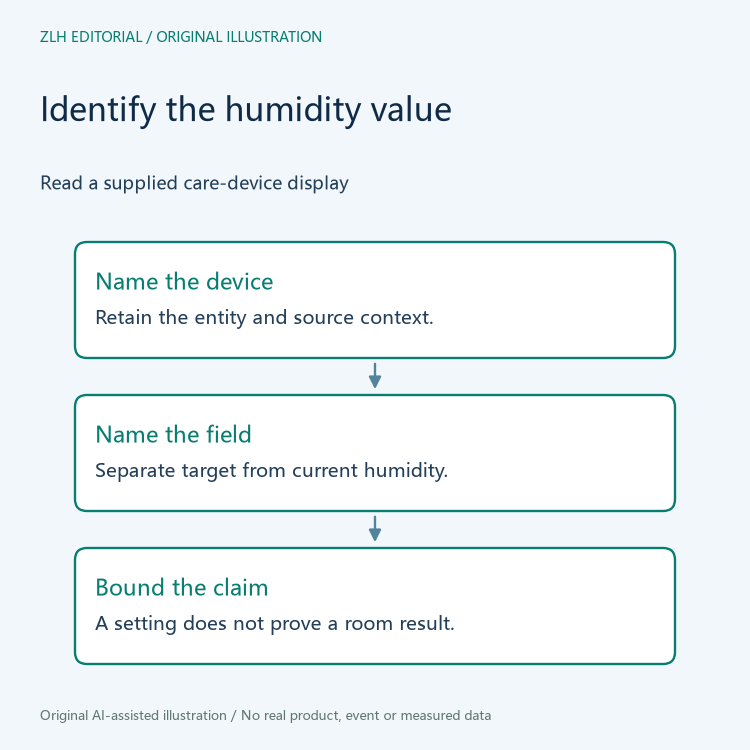
The large number can change its role
The official humidifier card design reference describes the target as the large number in the default presentation. It also documents show_current_as_primary: when true, current humidity becomes the large number and the target moves to the smaller line. Visual prominence therefore cannot serve as a universal field identifier.
A screenshot description should retain the actual labels and the supplied presentation context. If the crop removes the distinction, ask the contributor to explain the displayed field rather than choosing the larger text as the room measurement. This is a documentation question. It does not require changing the dashboard or interacting with a care device.
Keep range limits and activity descriptions in context
The entity reference separately defines minimum and maximum target humidity. Those properties concern target limits rather than a pair of environmental observations. A caption should not turn the supported setting range into a measured room range, and it should not present the limits as a recommendation for a resident. The underlying purposes are different.
The reference also separates whether the device is on from what it reports doing, such as humidifying, drying or being idle. These descriptions can help explain a supplied device record, but none should replace the current-humidity property. A device's activity label alone does not identify an achieved humidity or prove that the target has been reached.

Review a fictional care-portal caption
Imagine a fictional portal attachment showing a large target value and a smaller current value. An editor captions the large number as room humidity confirmed. The reviewer should restore the field identities and ask what supports the word confirmed. The example contains no real room, resident, measurement or device operation.
A later revision could use a presentation in which the current value is primary. That change would alter where the reader sees the fields, rather than change the definitions. The caption should be reviewed against that specific revision. Copying the earlier description solely because the dial looks similar can preserve the same ambiguity in a new form.
Close the caption question at its actual scope
A useful review note identifies the entity, the displayed field, the caption revision and any missing measurement context. When two attachments use different display priorities, describe each field by name instead of referring only to the upper or larger number. It can state that target and current values have been correctly distinguished. It cannot establish a comfortable or suitable environment, a care outcome, or the accuracy of a sensor that has not been examined.
Both official pages were read on November 5, 2026. The original figures contain no resident information, device screenshot or invented humidity reading. Related material appears in the care-device information collection and article directory. Keeping Humidity Displays tied to their exact property roles lets the next reader understand the record before making any wider claim about its environment.


